


Math Games: Math for Kids
4.41.00K Reviews
App Specs
- Version
- 2.1.2
- Updated On
- License
- Free
- Downloads
- 50,000,000+
- Developer
- RV AppStudios
- Categories
- Educational
- Platform
- Android, iOS
Screenshots
 Analysis by AppCompare
I like Math Games: Math for Kids best as a low-pressure way to get short bursts of arithmetic practice into a child’s day. It puts familiar sums inside a game format, which can make starting less of a struggle, though it is not a replacement for patient teaching or a full math curriculum. If you want a simple activity to reinforce core operations, it is worth a look; if you need detailed instruction tailored to a specific school syllabus, I would choose a more structured learning tool.
Where the game earns its keep
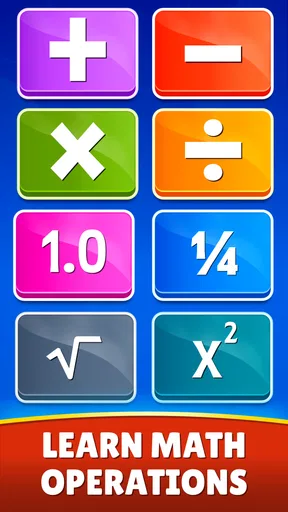
The clearest strength is its focus: addition, subtraction, multiplication, and division are the heart of the experience. That makes it easier to use for a particular purpose than a broad learning app that jumps between unrelated subjects. A parent can steer a child toward the operation they are currently practicing, while a child who simply wants to play can revisit familiar number work without opening a worksheet.
That narrow focus is useful at home in a very ordinary moment. Imagine a child has finished homework but still needs a little practice with subtraction. Rather than turning the evening into another lesson, you can offer a brief game session, then ask them to explain one answer they found tricky. The app supplies the practice; the conversation helps you tell whether they understood the method or just tapped through.
It also suits transitions when an adult cannot sit beside a child for every question. A young player can make a start independently, while a parent nearby can check in between chores. I would still treat it as a shared learning aid now and then: asking a child to describe how they reached an answer can reveal more than watching a score or a completed round.
Use rewards as a nudge, not a measure
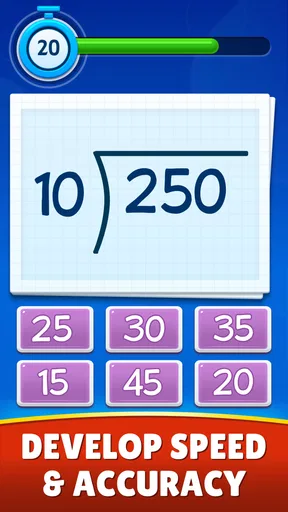
The original article describes puzzles, quizzes, timed challenges, stars, and badges as part of the play loop. Those elements can help a child stay interested, but they are most useful when the goal is effort and practice rather than collecting every reward. If a child gets tense when a timer is involved, I would keep the session focused on accuracy and encouragement instead of turning speed into the main test.
A practical approach is to let the child choose an operation, play for a short stretch, and then pause before frustration sets in. That gives them some control without leaving practice entirely to chance. If they repeatedly miss the same kind of question, slow down and work through an example together rather than urging them to keep chasing the next badge. The game can make repetition feel lighter, but an adult still has an important role in spotting confusion.
What to expect from the learning experience
Because the game covers four basic operations, it is a natural fit for children who need repetition with arithmetic. It is less suitable as the only resource for a child who needs a step-by-step explanation of why a method works, a wider range of math topics, or exercises closely matched to classroom assignments. In those cases, I would pair it with a teacher’s guidance, a workbook, or a more lesson-based app rather than expecting game rounds to fill every gap.
Worth Reading Before You Choose

Flipboard Shows What News Apps Must Do Beyond the Feed

Switching to Android Auto Means Rethinking Your Driving Routine

Google Calendar Makes a Crowded Week Easier to Manage

Ludo King Makes the Most of the Minutes Between Plans

Baby Panda World Brings Quick Play to Modern Phones, but Its Game Library Feels Busy

ESPN’s Live Game View Makes Following Close Games Easier
The article’s account of adjustable difficulty and progress reports points to a helpful parent workflow: check how the child is getting on, then choose practice that feels manageable rather than simply increasing the challenge. Progress information is most valuable when it leads to a useful next step, such as revisiting a shaky operation. It should not become a substitute for asking whether the child feels confident or can solve a similar problem away from the screen.
For comparison, many educational games try to hold attention by mixing several subjects or adding a large story around the exercises. This one’s appeal is more direct: it keeps the focus on arithmetic and uses game elements to make that practice more inviting. That simplicity can be an advantage for a child who wants to get straight to number questions, but it may feel repetitive to someone who wants a varied curriculum, deeper explanations, or a long adventure to explore.
A sensible fit for families
RV AppStudios makes this free educational game for children, and its Everyone age rating makes it broadly suitable for family use. It has a 4.4 average from around 70,000 ratings and has been installed over 10 million times, which shows that many people have tried it, though popularity alone cannot tell you whether it suits your child. The game was released in August 2020; version 2.0.7 supports devices running Android 6.0 or later.
Those details make it an easy option to consider if you want a no-cost starting point for arithmetic practice, but I would still make the choice based on the child’s needs. It is especially promising for a young learner who enjoys quick challenges and benefits from repeated exposure to sums. A child who dislikes timed play, needs extensive spoken or written explanations, or is already comfortable with these operations may get more from a calmer lesson format or a broader math resource.
The article’s original description also says the game works offline, which makes it handy for a journey or a waiting room when you want a ready activity without relying on a connection. I would prepare it before leaving and agree on a stopping point, so the device does not become an open-ended distraction. Offline access is convenient, but it does not change the basic trade-off: this is still screen-based practice, and some children will learn better with counters, paper, or an adult working beside them.
Making it work without turning it into homework
One useful way to introduce the game is to connect it to something the child already knows. If they are learning multiplication, for instance, ask them to think of equal groups in a familiar situation before playing, then let the questions reinforce that idea. This makes the app one part of a learning routine instead of an isolated screen activity. Keep the first session relaxed; if the child is unsure, showing that mistakes are a normal part of practice matters more than finishing a level.
It can also help to use the app as a short warm-up rather than the whole lesson. A few questions can get a child thinking about numbers before homework, while a quick conversation afterward can uncover a misconception that a score will not explain. Conversely, if they are tired or already frustrated by schoolwork, I would skip the extra practice. A game is not automatically relaxing just because it is colorful, and pushing through can make arithmetic feel like a penalty.
For parents choosing between this and paper exercises, the trade-off is straightforward. The game may feel more inviting and offers a change from a worksheet, while paper makes it easier to see the child’s working and notice where a calculation went off track. Using both selectively can be more useful than insisting on one format: the app for willing repetition, paper or conversation when the child needs to show their reasoning.
Making Math Fun Again
Remember the days when math was all about scribbling numbers on a piece of paper while your mind wandered off to dreamland? Well, Math Games: Math for Kids throws that notion out the window. This app transforms math from a dreaded chore into an engaging game. It’s like sneaking vegetables into a smoothie — the kids won't even realize they're learning.
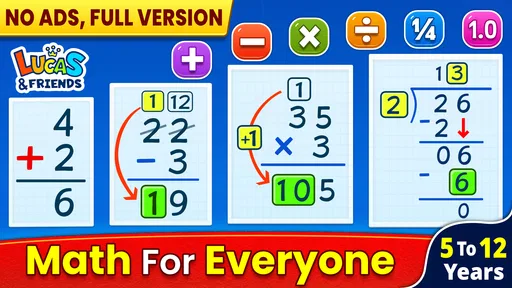
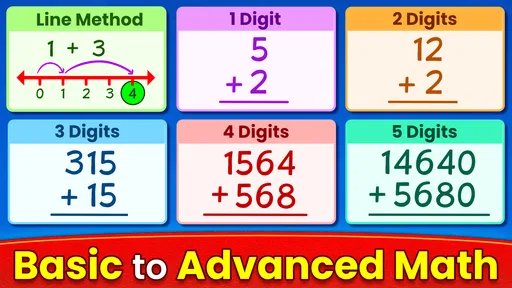
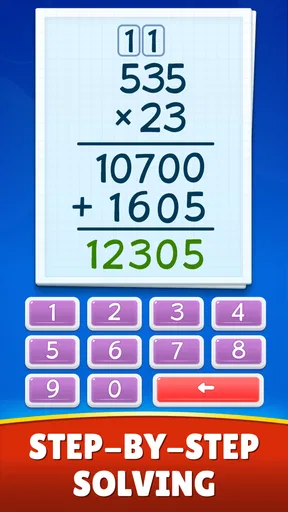
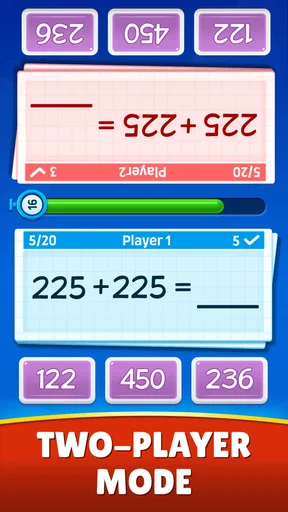
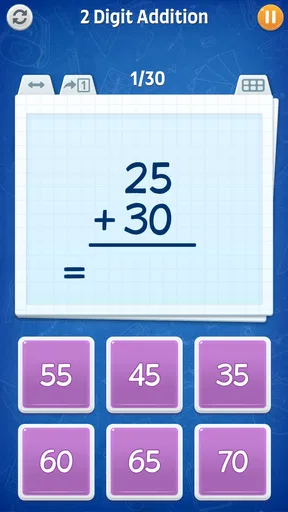
The app covers a wide range of topics, from basic addition and subtraction to more advanced multiplication and division. It's like a math buffet where kids can pick and choose what they want to tackle. You can find colorful graphics and animations that keep the young ones glued to the screen, without the usual fight over screen time.
Interactive Features Galore
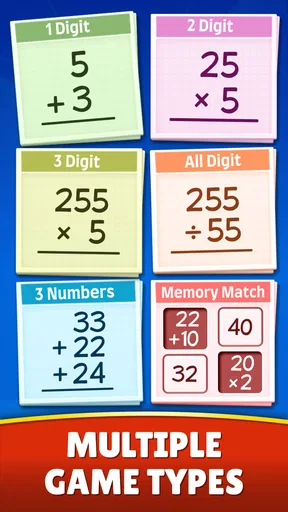
One of my favorite things about this app is its interactivity. It’s not just about answering questions; it’s about engaging with them. The app uses puzzles, quizzes, and even timed challenges to make sure kids are not just passive participants but active learners. This approach makes math relatable and less intimidating.
The app also includes a reward system. Kids earn stars and badges for completing levels, and let's face it, who doesn’t love a bit of reward for effort? This little motivational nudge encourages them to keep going, transforming learning into a game of collecting accolades.
Customizable Learning Experience
Every kid learns at their own pace, and this app totally gets that. You can customize the difficulty level, which means it grows with your child. Whether they’re just starting with numbers or ready to tackle complex equations, the app adjusts to their learning curve. This flexibility ensures that kids are neither bored nor overwhelmed.
Moreover, the app provides detailed progress reports. This is a win-win for parents and teachers who want to track the child’s progress without hovering over their shoulder all the time. It’s like getting a sneak peek into their learning journey without being intrusive.
Why Kids (and Parents) Love It
Kids love the app because it doesn’t feel like work. It’s vibrant, it’s exciting, and most importantly, it’s fun. Parents love it because it’s educational. It’s like a double win — kids are entertained, and parents know they’re learning something valuable.
Another cool feature is that it works offline. This means it’s perfect for car rides, waiting rooms, or any other place where you need to keep the little ones occupied. No more worrying about data limits or finding Wi-Fi — just open the app and let the math magic happen.
As for the interface, it’s straightforward and easy for kids to navigate. No complicated menus or confusing settings. Just open the app and they're ready to play and learn. It’s designed to be intuitive for little fingers and curious minds.
The Final Say
In a world where educational apps are a dime a dozen, Math Games: Math for Kids stands out by striking a perfect balance between education and entertainment. It’s more than just an app; it’s a tool that fosters a love for learning and builds a solid math foundation.
Whether you’re a parent looking to supplement your child’s education or a teacher seeking engaging ways to reinforce math concepts, this app is a fantastic choice. It turns math into an adventure that kids are excited to embark on. So, what are you waiting for? Dive into the world of numbers and let your kids discover the fun side of math!
Pros
- Engaging and colorful interface for kids.
- Variety of games to improve math skills.
- Adjustable difficulty to match different ages.
- No ads in the paid version.
- Encourages critical thinking and problem-solving.
Cons
- Limited free content can restrict learning.
- Some games may be too repetitive.
- Requires internet for certain features.
- Occasional glitches in game loading.
- Paid subscription for full access.
FAQs for Math Games: Math for Kids
What age group is Math Games: Math for Kids suitable for?
Math Games: Math for Kids is designed for children aged 4 to 10 years old. The app provides a range of activities and challenges that cater to different skill levels, ensuring that both younger and older children can benefit from its educational content. The interactive elements make learning math fun and engaging.
Does Math Games: Math for Kids require an internet connection?
No, Math Games: Math for Kids does not require an internet connection to play. Once downloaded, all games and activities can be accessed offline. This makes it convenient for use while traveling or in areas with limited internet access, ensuring uninterrupted learning for your child.
Are there any in-app purchases in Math Games: Math for Kids?
Yes, Math Games: Math for Kids includes optional in-app purchases. These may offer additional content or features to enhance the learning experience. However, all necessary educational content is available without purchasing. Parents can disable in-app purchases through their device settings to prevent accidental purchases.
How does Math Games: Math for Kids support learning?
Math Games: Math for Kids uses interactive games and engaging challenges to teach basic math concepts. The app covers addition, subtraction, multiplication, and division with increasing difficulty levels. It uses visual aids and rewards to motivate children, helping them develop problem-solving skills and a love for mathematics.
Is Math Games: Math for Kids safe for children to use?
Yes, Math Games: Math for Kids is designed with child safety in mind. The app contains no inappropriate content and has a user-friendly interface suitable for young users. Parents can feel confident that their children are learning in a secure environment, with parental controls available to manage app usage.


